Maximize Project Impact with the Right Lean Six Sigma Project Tracking Tool
January 14, 2025
Finding the right project tracking software can be a daunting task, particularly for continuous improvement teams managing hundreds of specialized projects. Many organizations default to using generalized project management tools that dominate the market. While these tools may cover basic task and schedule management, they often fall short in areas critical to continuous improvement. They lack pre-built, customizable problem-solving roadmaps, built-in CI tools, and integrated data capabilities needed to keep project information accurate and actionable.
If you’re leading Operational Excellence efforts in your organization, chances are you’re managing a small but mighty team responsible for training, coaching, and guiding projects across a large enterprise. Your needs go beyond basic task tracking. You require software that supports data-driven decision-making, optimizes processes to keep projects on track, and integrates all the essential tools to sustain continuous improvement as a long-term, organization-wide system.
In this article, we compare TRACtion vs. Microsoft Project, explore the must-have features in project tracking software, and help you determine the best solution to manage your improvement projects effectively.
What is TRACtion?
TRACtion is a cloud-based project management softwaredesigned specifically for continuous improvement teams, with project execution at the focus point. In short, TRACtion is the "operating system" for your Continuous Improvement program. While generic project management tools are designed to track tasks, TRACtion is designed to track transformation. It’s designed to manage the entire lifecycle of an improvement initiative, from the moment an idea is sparked to the day the final savings are audited.
TRACtion acts as a bridge between the "Belts" doing the work and the executives who need to see the results. It provides practitioners with structured roadmaps (like DMAIC and PDCA) to ensure scientific rigor, while giving leadership a real-time, portfolio-wide view of ROI, KPI performance, and project health. It’s not just a place to store project files; it’s a guide that ensures every project follows a proven path to success.
Common Challenges TRACtion Solves:
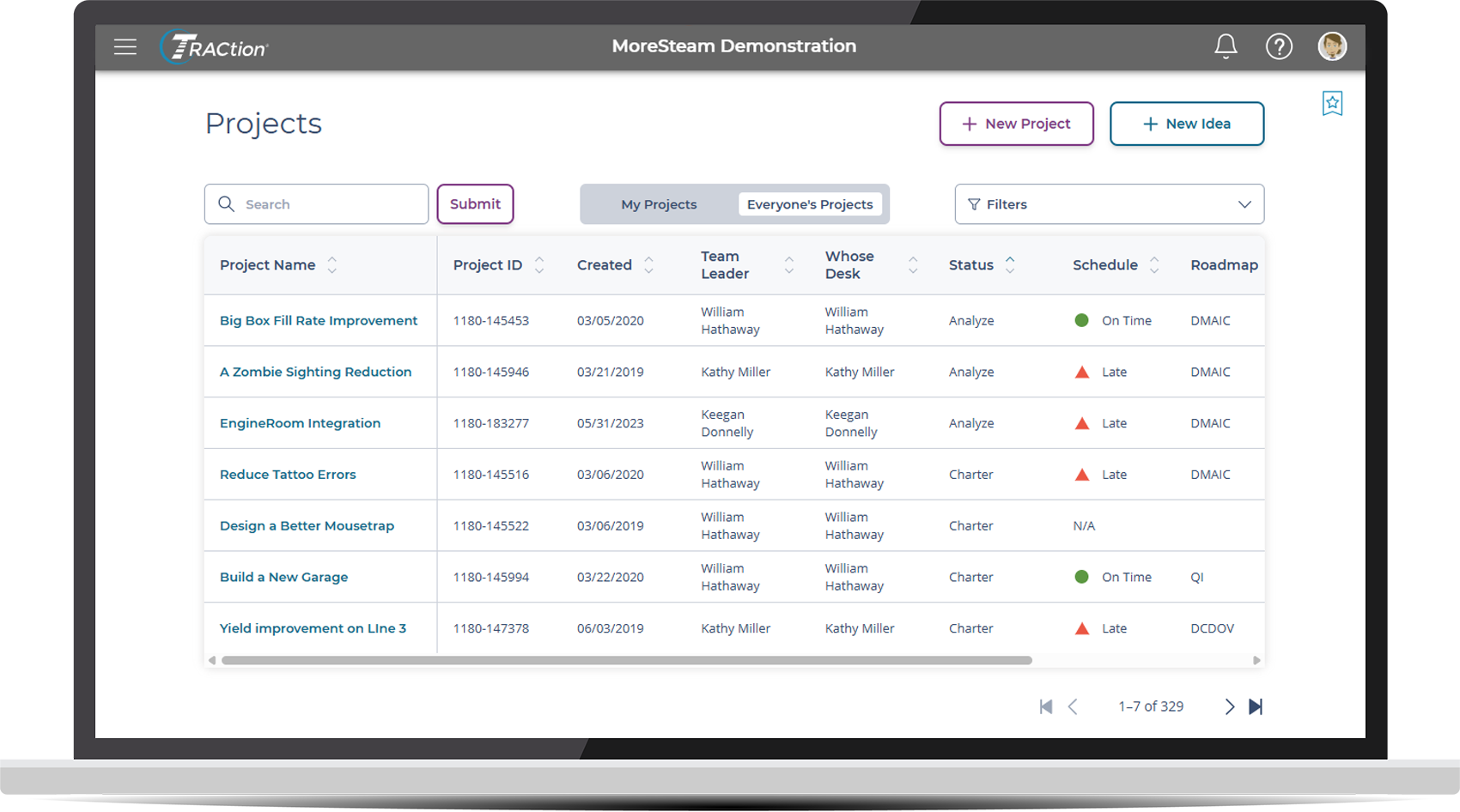
The "Shadow Spreadsheet" Problem: Consolidates project data so you can stop hunting for updates in dozens of disconnected Excel files. See it in action: How Aurorium replaced manual Excel tracking with TRACtion to gain global visibility.
Methodology Drift: Prevents teams from "jumping to solutions" by enforcing structured problem-solving phases.
Invisible ROI: Automatically aggregates hard and soft savings so the value of your CI program is always visible to stakeholders.
Communication Bottlenecks: Replaces manual status reports with live dashboards and presentation-ready storyboards.
But how does a purpose-built tool like this actually stack up against the generic software your IT department might already provide? Let’s look at how TRACtion compares to the industry standard for general project management.
How Do Generic Project Management Tools Compare?
Standard project management tools like Microsoft Project are designed for complex scheduling, resource leveling, and dependency tracking. They are excellent for building a bridge or launching a software update, but they often fall short for Lean Six Sigma practitioners because they lack a "methodology-first" DNA.
When using a generic tool for process improvement, practitioners usually encounter three main hurdles:
The "Blank Page" Problem: In a tool like MS Project, you have to manually build every phase, task, and gate from scratch. There is no built-in logic to ensure you aren't skipping the "Analyze" phase and jumping straight to "Improve."
Disconnected Data: Lean Six Sigma relies on data—Sigma levels, RPN scores, and financial savings. In generic tools, these live in separate spreadsheets or attachments, meaning your project status and your actual results are never in the same view.
Lack of Standardization: Without a template, three different Green Belts will likely manage their projects in three different ways, making it nearly impossible for a Master Black Belt to audit the portfolio consistently.
Guided Roadmaps: The Guardrails for Success
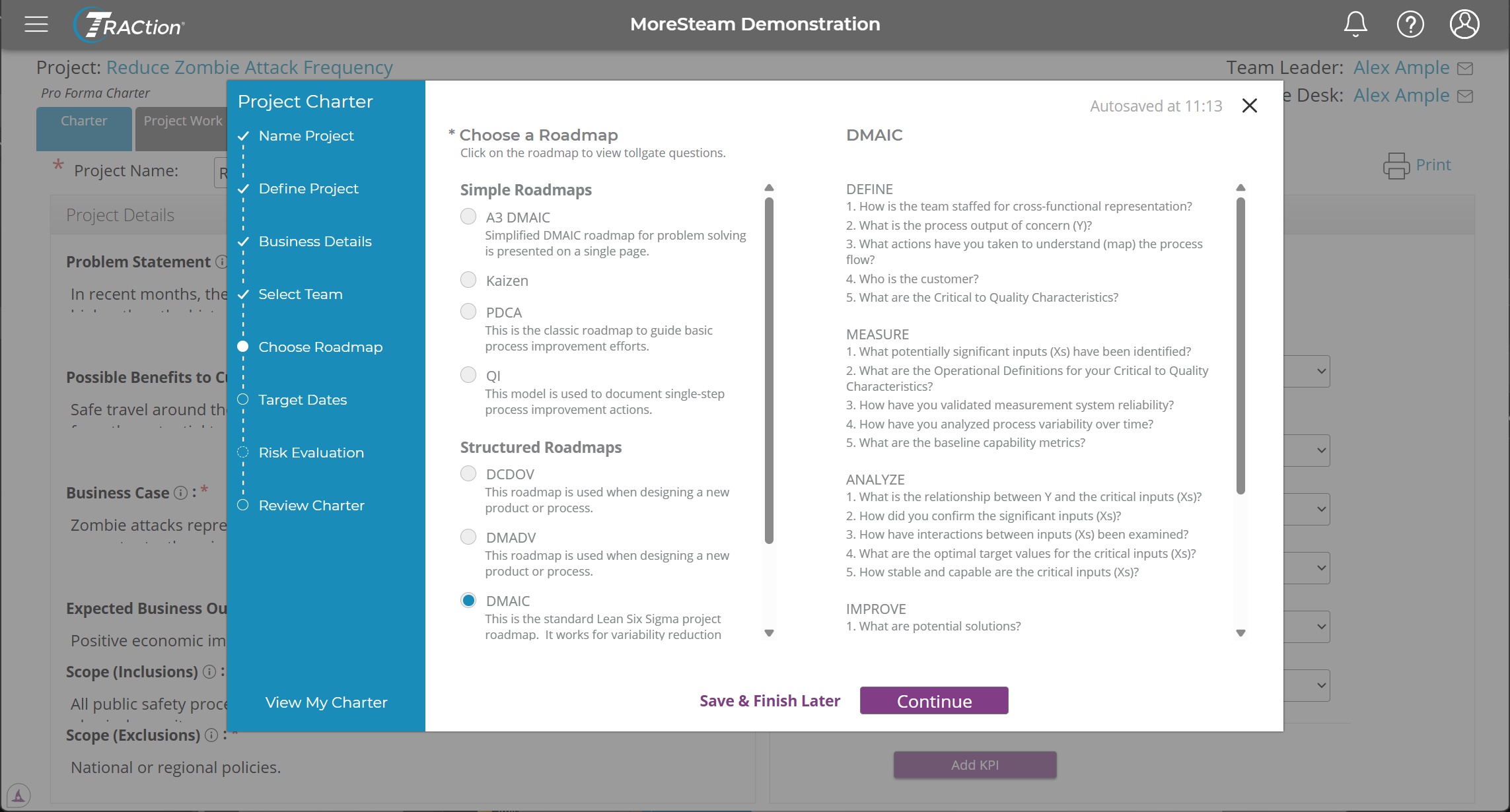
Rather than starting with a generic Gantt chart, TRACtion uses structured roadmaps that act as a GPS for your project. You select the roadmap that fits your specific goal, and the tool provides the necessary phases, steps, and tollgates automatically.
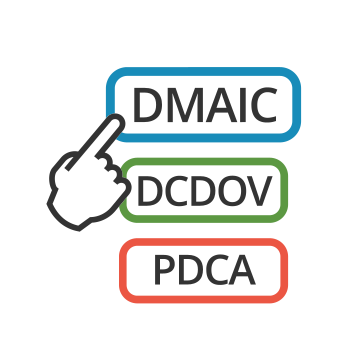
Common roadmaps included in TRACtion are:
DMAIC & A3 DMAIC: The standard five-phase approach for existing process improvement, available in both full-scale and streamlined A3 formats.
PDCA: The Plan-Do-Check-Act cycle for iterative, continuous improvement.
QI (Quality Improvement): Specialized frameworks tailored for healthcare and service-sector quality initiatives.
DCDOV & DMADV: Advanced roadmaps for Design for Six Sigma (DFSS), focusing on the development of new products or processes.
Kaizen: Rapid-response roadmaps for short-term "bursts" or low-complexity projects.
Custom Roadmaps for Your Organization
Every organization has a unique way of working. While TRACtion comes with a robust library of standard methodologies, we also work with teams to build fully custom roadmaps. Whether you need to digitize a proprietary internal process or modify an existing framework, any instance of TRACtion can be tailored to match your specific operational language.
By selecting the right roadmap at the start, you ensure that every project follows a consistent rigor, making it easier to report on progress and replicate success across the organization.
TRACtion vs. Microsoft Project: What is better?
When comparing TRACtion vs. Microsoft Project, the best choice depends on your specific needs:
If you need project tracking software tailored to continuous improvement teams, with KPI tracking, custom reporting tools, automated workflows, and seamless integration with data analysis tools for real-time insights, TRACtion is the best project tracking software.
If you’re looking for a general project management tool primarily for task and schedule management, Microsoft Project may be a suitable option.
For a side-by-side comparison, here’s how these tools stack up:
Capability
TRACtion
Microsoft Project
Capability: Focus
TRACtion: Executing process improvement projects
Microsoft Project: Task and schedule management.
Capability: Problem-Solving Roadmaps
TRACtion: Supports DMAIC, PDCA, A3, Kaizen, and quick hit improvement roadmaps
Microsoft Project: No obvious support for improvement roadmaps
Capability: Charter Development
TRACtion: Guided process to clarify scope and success metrics with AI-powered instant feedback
Microsoft Project: Basic project documentation tools
Capability: Opportunity Scoring
TRACtion: Embedded idea scoring matrix to prioritize project opportunities
Microsoft Project: None
Capability: KPI Tracking
TRACtion: Tracks both project-level and organizational KPI metrics
Microsoft Project: Limited KPI tracking
Capability: Financial Reporting
TRACtion: Configured tools for financial impact and visualization
Microsoft Project: Basic financial reporting
Capability: Project Reporting
TRACtion: Custom dashboards, storyboards, and A3 reporting for clear communication of project status and impact
Microsoft Project: Standard reporting
Capability: Integration
TRACtion: Integrates with data analysis software for improved project data reliability
Microsoft Project: Integration with Microsoft 365 apps only
Capability: Workflow automation
TRACtion: Automated task workflows to standardize and streamline processes
Microsoft Project: Manual workflows with task templates
Capability: Platform Accessibility
TRACtion: Web-based with unlimited storage and encrypted security
Microsoft Project: Requires Microsoft 365 subscription for full access
Key Advantages of TRACtion
When selecting the right project tracking software, it’s essential to choose a tool that goes beyond basic project management and directly supports your process improvement initiatives.
Here’s how TRACtion’s key features stand out as an ideal solution for continuous improvement teams:
1. Built for Process Improvement Teams
TRACtion offers structured roadmaps designed to guide teams through every phase of a project, with step-by-step critical questions at each milestone of the project. Whether you choose from pre-built roadmaps or collaborate with MoreSteam to create a customized solution, project leaders can tailor their problem-solving approach to meet the unique needs of each project.
Key features:
Pre-built methodologies: DMAIC, Lean, and Design, Quick Improvement initiatives, and implementation Roadmaps.
Simple, Structured, & Customized Roadmaps: A3, PDCA, QI, DMAIC, DCDOV, DMADV, and more.
Why it matters: Process improvement teams need more than just basic task tracking, they need structured roadmaps to guide projects to completion and deliver a meaningful ROI.
2. Prioritizing High-Impact Projects
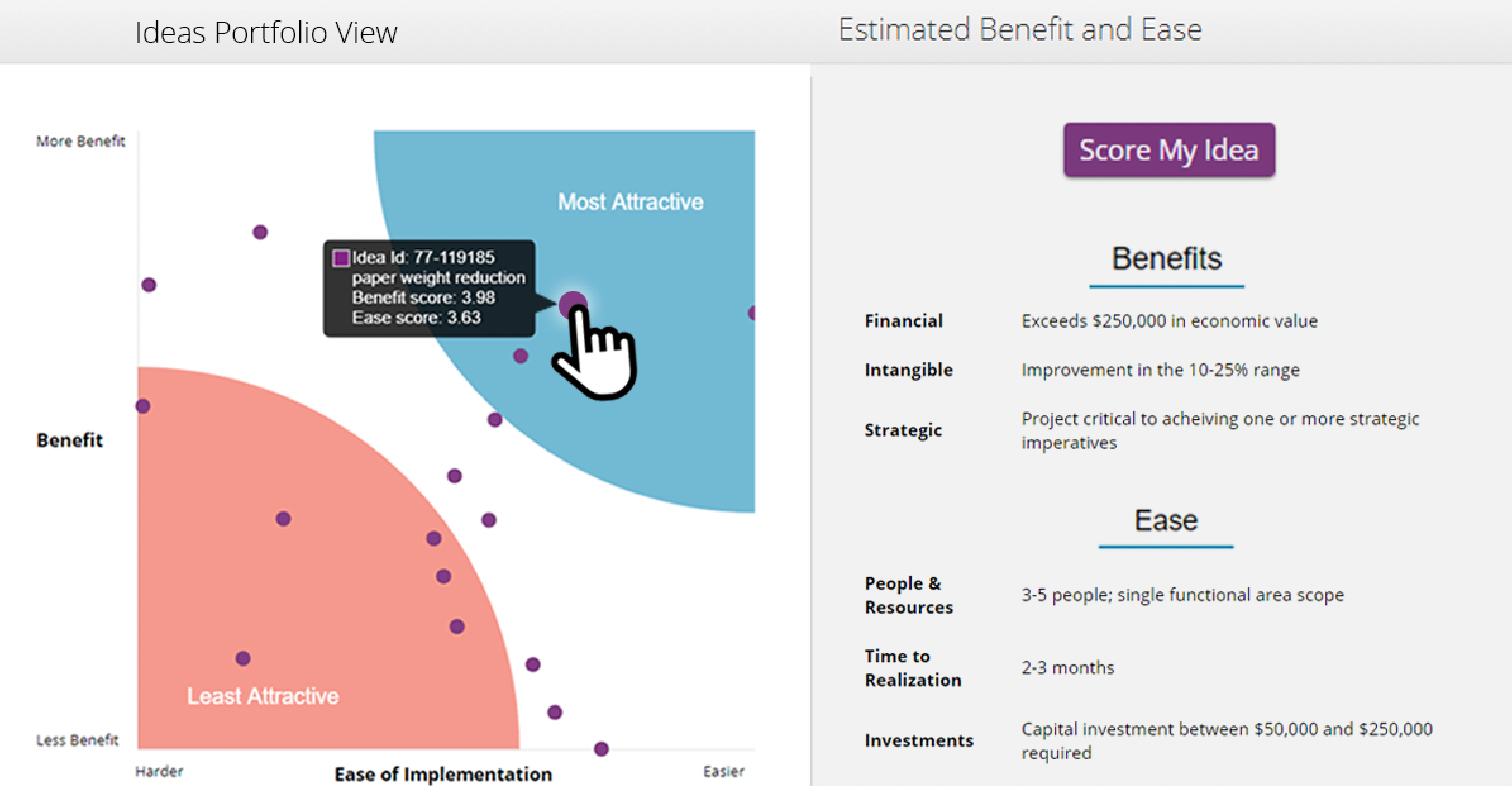
TRACtion displays a portfolio-view summary of the most important work, allowing teams to easily identify and prioritize high-impact projects. This ensures teams focus their time and resources on initiatives that will deliver the greatest value. With this approach, teams can confidently select the “best” project.
Key Feature:
Idea Scoring: Enables teams to evaluate and prioritize projects based on their benefits and ease of implementation, ensuring high-impact initiatives receive top priority.
Why it matters: Choosing the best project tracking softwaremeans selecting a tool that helps teams focus on the most valuable projects, maximizing efficiency, and return on investment.
3. Align KPIs and Financials with Organizational Goals
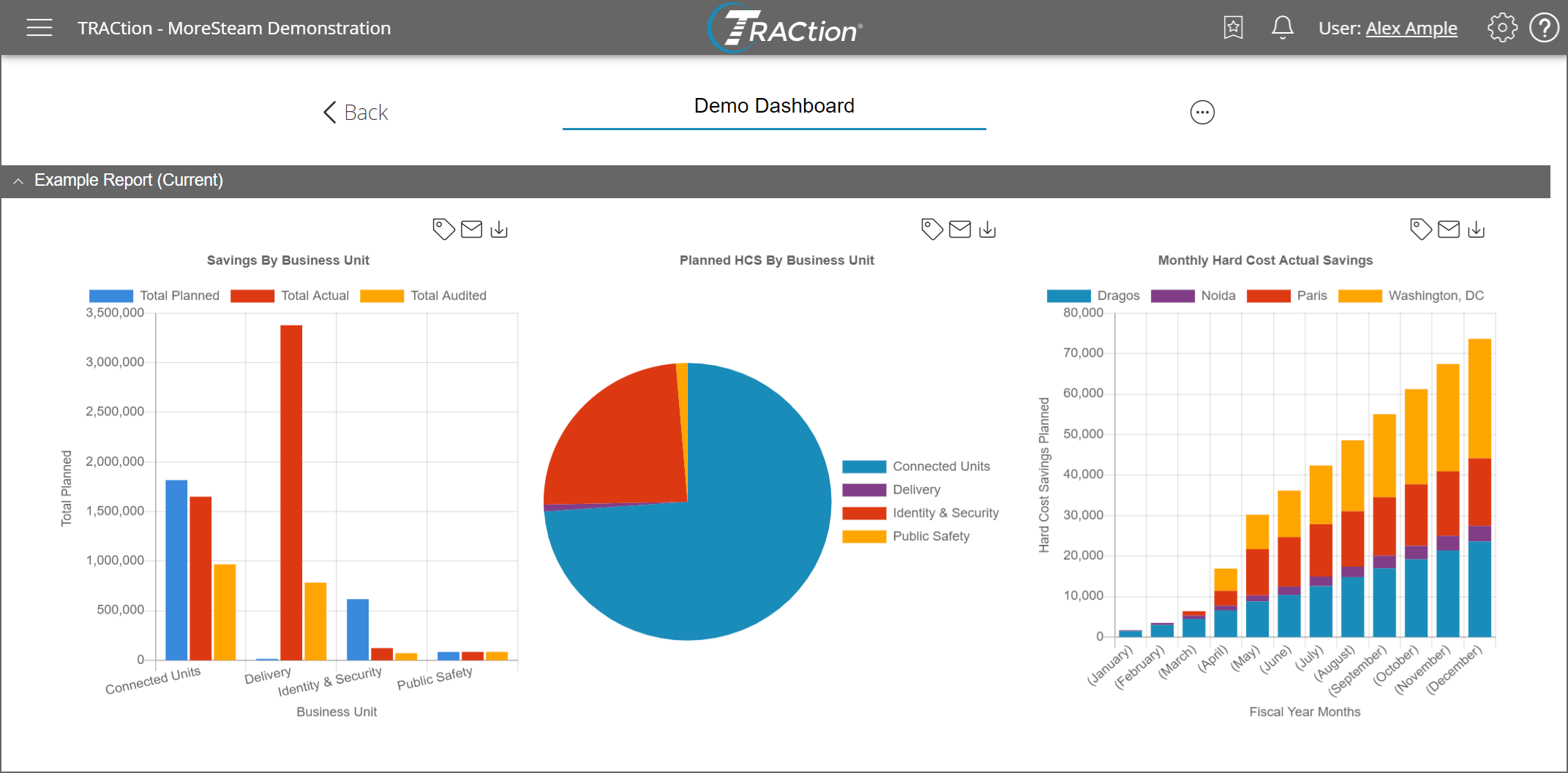
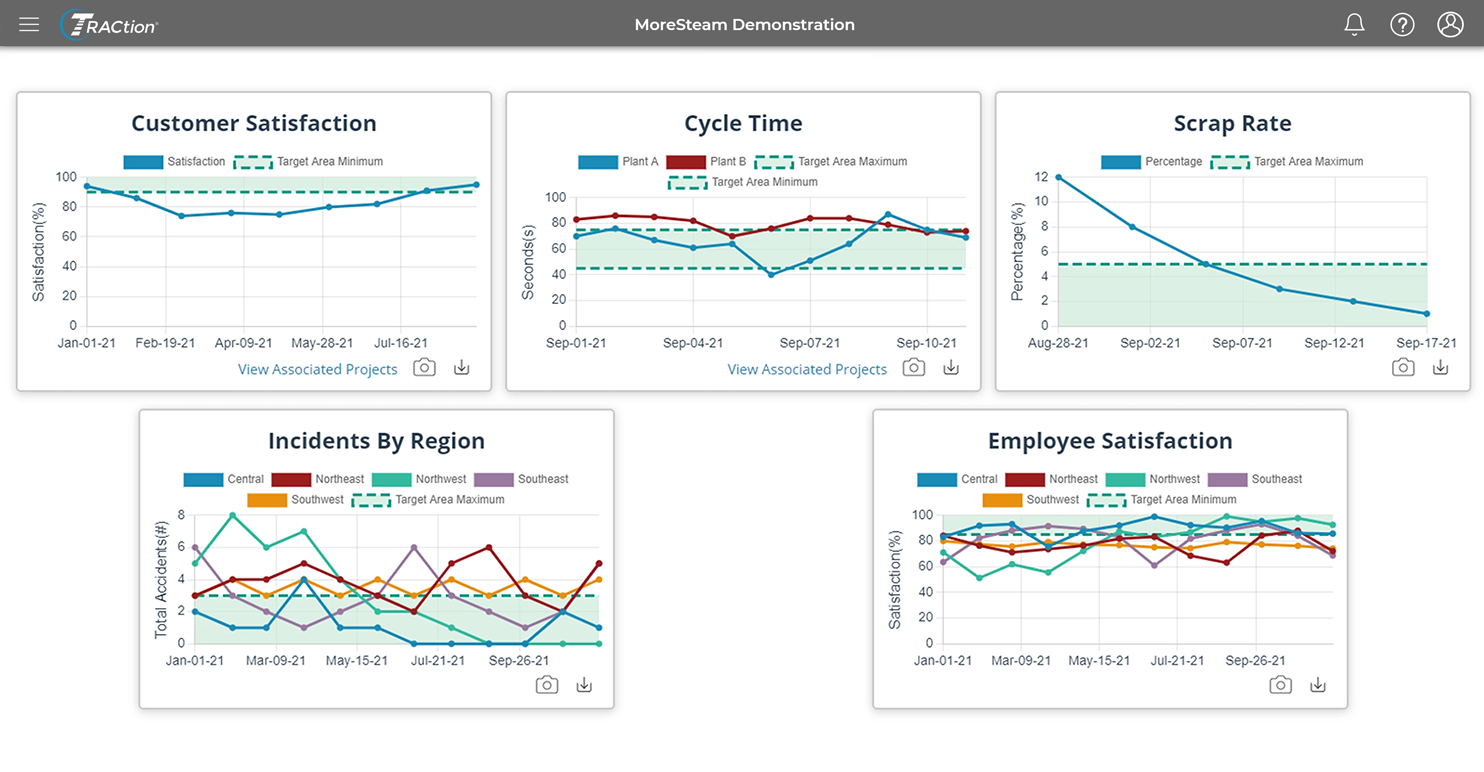
TRACtion provides customizable dashboards that organize KPIs, financial metrics, and project data, allowing teams to monitor trends, track progress, and identify areas for improvement at a glance.
By keeping projects connected to measurable outcomes, teams can easily demonstrate the value of improvement initiatives to leadership while ensuring accountability for organizational goals.
Key features:
Custom Dashboards: Tailored views to track progress, identify trends, and highlight key insights for decision-makers. Simplifies how teams communicate results and insights, saving time and eliminating manual effort.
Project KPIs: Define specific, measurable metrics to track individual project progress and success.
Global KPIs: Gain a comprehensive view of improvement work across the organization with global target visuals, helping stakeholders evaluate overall performance.
Financials: Capture the hard and soft cost savings of project work, providing quick visuals for stakeholders and detailed data for financial auditors.
Why it matters: Your project tracking software should align KPIs with organizational objectives, providing visibility into project impact and securing leadership buy-in.
4. Seamless Integration with EngineRoom for Smarter Decision-Making
One of TRACtion’s most powerful differentiators is its seamless integration with EngineRoom data analysis software designed for continuous improvement professionals. Unlike other project management tools that rely on manual data updates, TRACtion keeps your charts, graphs, and reports automatically up to date, helping eliminate extra work and ensuring accuracy.
Traditional tools often require teams to export and re-upload updated charts from external software like Minitab, leading to delays, inconsistencies, and outdated reports.
With TRACtion and EngineRoom, teams can:
Build charts directly in EngineRoom and link them to their corresponding projects in TRACtion.
Update data in EngineRoom, and automatically see the latest version synced in TRACtion—no exporting, no extra steps.
Take back their valuable time while keeping stakeholders informed with updated project reports.
Beyond data integration, TRACtion also connects with MoreSteam’s eLearning courses, allowing teams to further develop critical problem-solving skills and apply them directly to live projects.
Why it matters: Your project tracking softwareshould eliminatemanual updates, which introduce the risk of outdated data. Keeps your information automatically updated, allowing teams to focus on process improvement instead of administrative tasks.
5. Powerful Reporting for Better Insights
TRACtion simplifies how teams communicate. With customizable reporting options, teams can track project efficiency, identify project roadblocks, and measure project success—all in one place.
A3 Reports: Eliminate wasteful re-entry of information by dragging and dropping elements from TRACtion and EngineRoom for visual problem-solving using pre-built templates or customized formats.
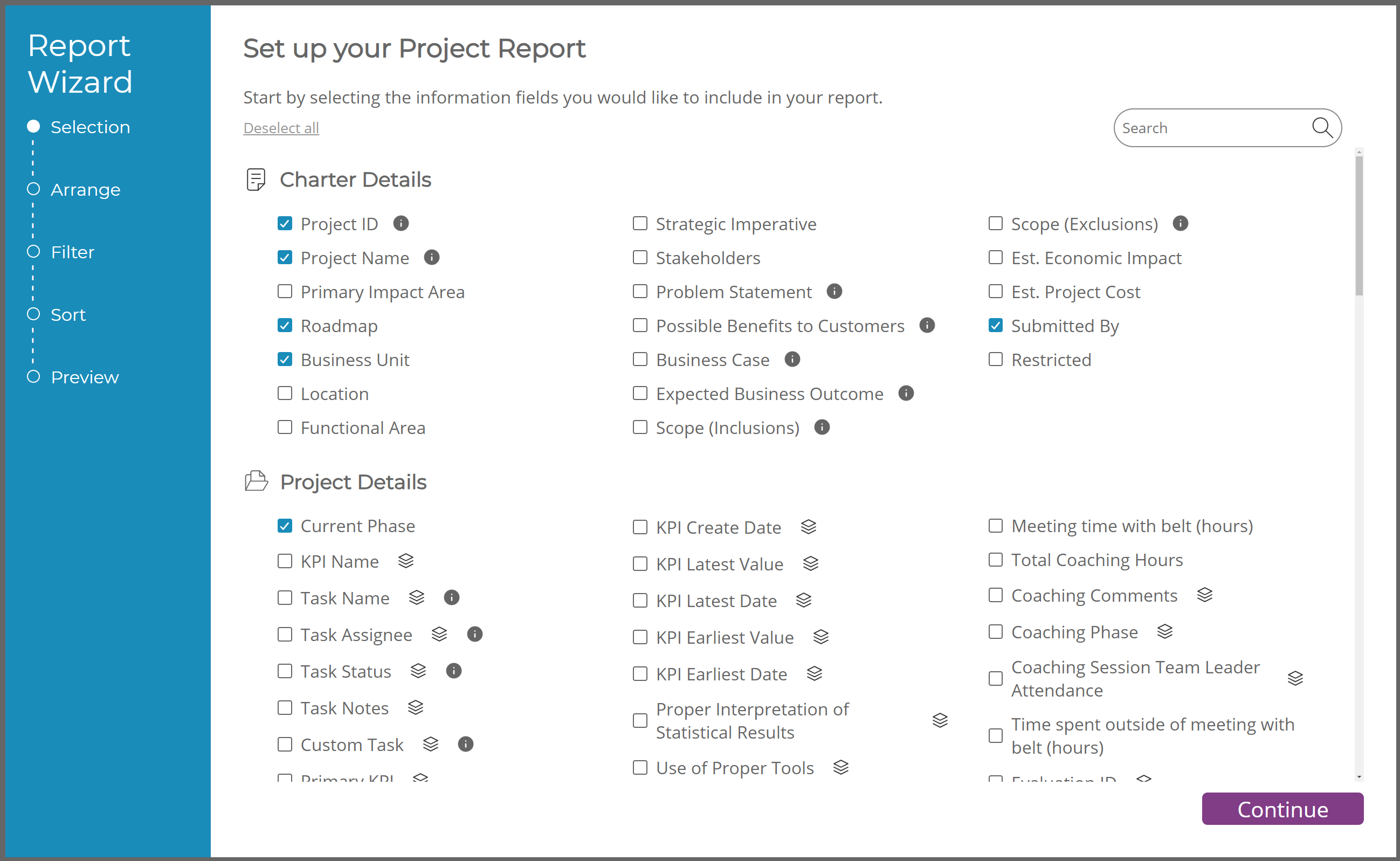
Report Wizard: A guided tool that helps teams quickly build stakeholder-ready reports by selecting and organizing the most important components. Quickly generate custom KPI reports, financial reports, and more.
Storyboard: Avoid non-value-added time manually building PowerPoint decks for reviews. The exportable in-app storyboard template compiles project work into a polished, presentation-ready report.
Why it matters: Your project tracking software should allow teams to focus on project execution rather than wasting time on manual report creation.
6. On-Demand Coaching & Expert Support
Successful process improvement often involves guiding team members who may be tackling their first projects, making timely coaching and expert support essential. For small operational excellence teams already stretched thin, providing hands-on coaching to every project can be a challenge.
TRACtion addresses this by enhancing project success with built-in coaching tools that empower teams to access guidance from experienced Lean practitioners and Master Black Belts. These tools provide the extra support first-time project leaders need, offering step-by-step direction and reinforcing critical problem-solving skills.
By equipping teams with personalized coaching, TRACtion not only helps them build confidence but also ensures they develop the skills necessary to manage complex projects effectively—without placing additional strain on your core team.
Customized Coaching: Built-in coaching provides one-on-one interactions, personalized feedback, and practical solutions tailored to unique challenges.
Why it matters: Your projecttracking software should provide teams with reliable coaching support to ensure projects stay on track while helping them overcome challenges faster.
What Users Are Saying About TRACtion
“We grew from 50-300+ projects, and TRACtion made it easy for us. We also use it at my current company for the same reason and are seeing the same impact and ease of use. From a Master black belt or program lead, it is a tremendous tool.”
– William S., Sr. Managing MBB
“TRACtion enables MBBs and sponsors to oversee far more projects than they could without it. The critical questions in each phase (customizable) do a good portion of the coaching a belt needs, cutting down on the back and forth usually required as a coach. I am very excited about the new functionality which will allow us to move seamlessly from EngineRoom to TRACtion--again avoiding duplicate work.”
— Andrea K.LSS Deployment Leader, MBB
“TRACtion is a great project management tool that guides belts with key questions for each project phase, automated workflow for reviews/approvals, and capability to track financial benefits. The new integration to attach EngineRoom studies directly to TRACtion is a great addition. I also like that TRACtion can be customized to the client's needs if necessary. “
— Amita S., Performance Improvement Consultant
Choosing the Best Project Tracking Software for Continuous Improvement
Finding the right project tracking software isn’t just about managing tasks, it's about accelerating project success by optimizing decision-making and driving continuous improvement.
TRACtion is built specifically for process improvement teams, providing the structure, automation, and insights to execute projects with precision. With TRACtion’s powerful tools, teams can:
Streamline project performance for faster, more efficient execution
Improve project selection by prioritizing high-impact opportunities
Keep projects on time and budget with structured methodologies
Increase completion rates through workflow automation and coaching support
If you’re looking for a project tracking tool with top features to achieve operational excellence, TRACtion is the solution.
Get started today using the best project tracking software designed for continuous improvement teams and Lean Six Sigma practitioners.
MoreSteam
MoreSteam's Enterprise Process Improvement platform includes the tools, training, and software you need to transform your organization, large or small, into a problem-solving powerhouse. Our products are trusted by over half of the Fortune 500 and by other organizations and universities worldwide. When you partner with MoreSteam you gain a team dedicated to helping you succeed.