A few months ago, I wrote about my ChatGPT year in review. The slightly humbling realization was that I mostly used it the same way over and over again. I would paste in an email draft and ask it to make the writing clearer. I would throw it a webinar abstract and ask it what was I missing? Sometimes I would use it to pressure-test an idea or help organize thoughts that were still fuzzy in my head. Useful? Absolutely. Then one evening, AI stopped answering and started doing.
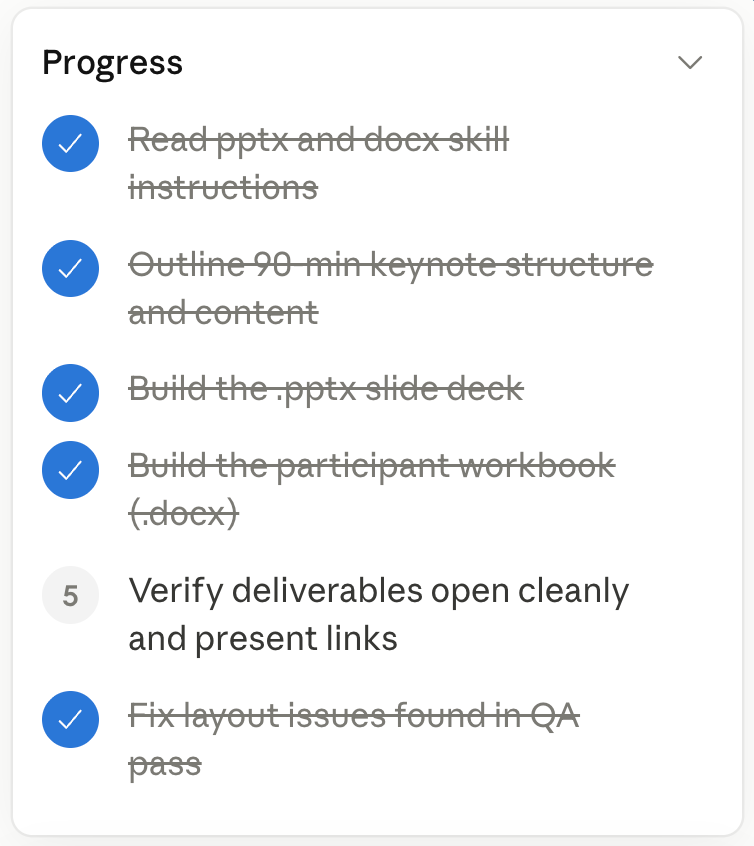
I was at LEI’s Annual Summit sitting beside Tyson Heaton at Late Night AI Geek Fest. He showed me Claude Cowork. I gave it a task and instead of responding with polished text, it opened files, worked through steps, created outputs, checked assumptions, and came back with a usable product. It felt less like prompting software and more like delegating to a capable teammate.
That was the moment the phrase “agent-boss” finally clicked for me.
What We Actually Mean by “Agentic AI”
The easiest way I’ve found to explain the difference is this:
Conversational AI is a thinking partner that talks. You ask questions. It answers. The interaction is primarily conversational, and the output is usually words, ideas, code, or recommendations. Whatever happens next still depends on you.
Agentic AI is a coworker that does work. You describe an outcome, and the system executes a sequence of actions to move toward it by opening files, gathering information, organizing data, drafting documents, updating systems, or running workflows. The output is not just text. It is completed work.
| Feature: Feature Conversation shape | Conversational AI : Single turn, single response | Agentic AI : Multi-step plan, multi-turn execution |
| Feature: Who decides next steps | Conversational AI : You drive every step | Agentic AI : It decides its own next action within guardrails |
| Feature: What it reads | Conversational AI : What you paste or upload into the chat | Agentic AI : Files, screens, browsers, databases, system events, data from connections |
| Feature: What it produces | Conversational AI : Text, code, an answer | Agentic AI : Artifacts in your real systems |
This distinction matters more than people realize, because conversational AI and agentic AI are good at fundamentally different kinds of work. As these tools become more common inside organizations, understanding when you need a thinking partner versus when you need an operational assistant is becoming an important piece of practitioner literacy.
How It Works
The front door really is the same. You prompt it, add the relevant files, or tell it to connect to the systems where your work already lives. From there, the experience diverges quickly.
What makes an agent feel different is not one capability by itself, but several capabilities working together:
- It can break a larger objective into smaller tasks.
- It can use tools outside the chat window.
- It can connect to other systems you use.
- It can remember what it has already done.
- It can decide its own next action.
- It can run on a specific schedule.
- It can pause for human input when needed.
An agent creates a plan, breaks the work into steps, and decides which actions to take next in order to reach the outcome you asked for. Sometimes it asks clarifying questions first. Sometimes it starts working immediately and checks in only when a decision carries risk or requires approval. That operating model has a name: human-in-the-loop, or HITL. The human is not removed from the process. The human shifts upward into oversight, validation, prioritization, and decision-making.
Underneath this is infrastructure like MCP (Model Context Protocol), which helps AI systems interact safely with external tools and data sources instead of operating only inside a chat window. It is not the entirety of what makes an agent “agentic,” but it is one of the pieces that allows these systems to work with real files, applications, and workflows instead of only generating text in isolation.
It’s a Fuzzy Line
It’s not clear-cut to say Claude Cowork is an agentic AI and ChatGPT is a conversational AI. Agentic tools still converse. Cowork still asks questions, still reflects back, still suggests alternatives. Likewise, ChatGPT is plenty capable of executing tasks. You can ask it to update spreadsheets, documents, or do heavy research for you but my experience is that it won’t return the level work of a model like Claude Cowork that can run several parallel tasks and put together some context of its own. That type of reasoning and reflection gives Cowork a leg up. It will sometimes ask me about edge cases I hadn’t even considered. I value that. The reality is the line is fuzzy and will keep fuzzing.
What the Difference Looks Like in Practice
Here are four things I have actually done with Cowork over the last couple of months that have gotten me geeked about treating AI as a teammate.
1. The conference agenda puzzle.
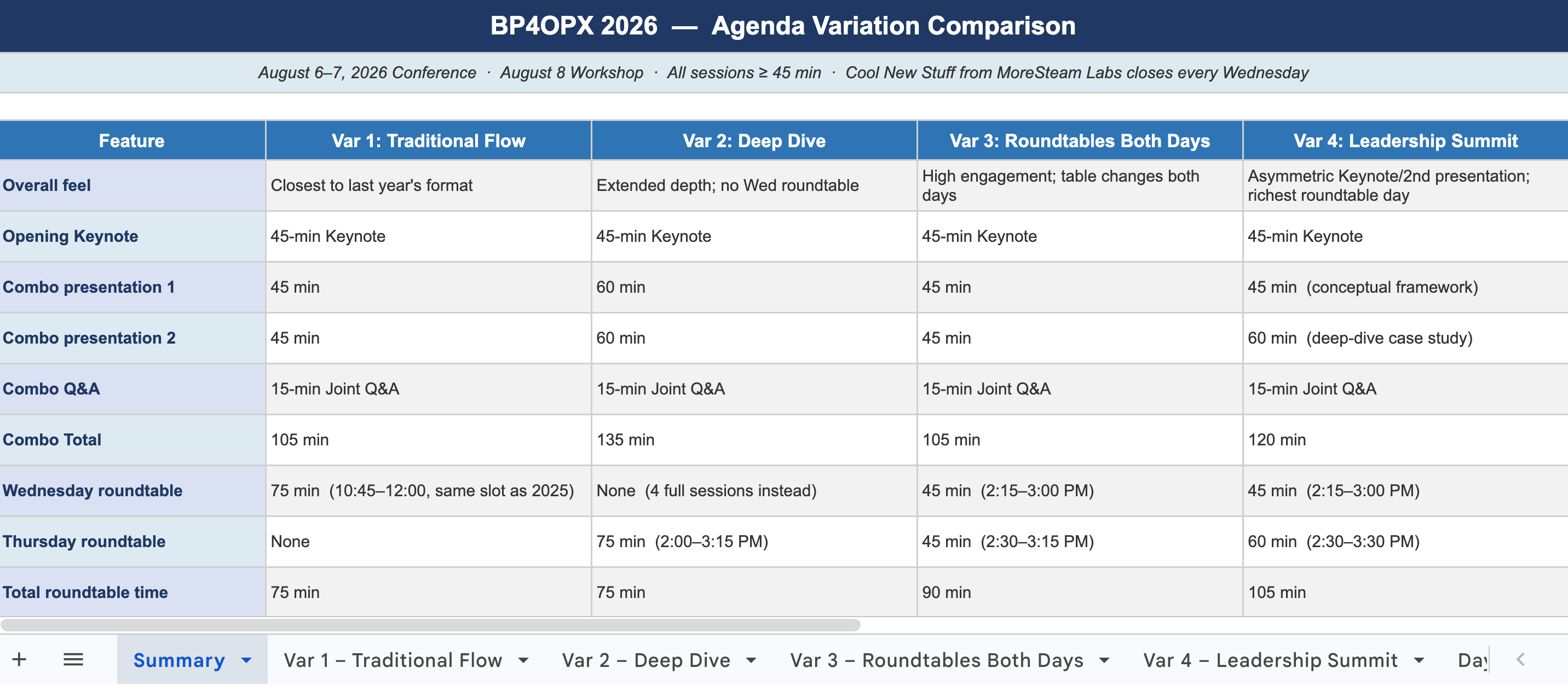
We were planning the agenda for our annual conference, and I wanted to see a few genuinely different ways the two days could flow. I handed Cowork last year's agenda and asked it to build several variations. It came back with four fully built options in a spreadsheet, each laid out hour by hour, color-coded by speaker, with a summary tab comparing them side by side. It had even researched how other Lean and Six Sigma conferences structure their schedules to inform the options. The cost of generating those alternatives is now close to zero, as I didn’t have to think through the puzzle of creating alternatives within the various constraints I was working with regarding our speakers. I put the exact same prompt with the exact same resources into ChatGPT. What I got was a long, bulleted list of ideas. Not at all as helpful as having 4 usable agendas in a spreadsheet to compare.
2. Customer Support Quality Review
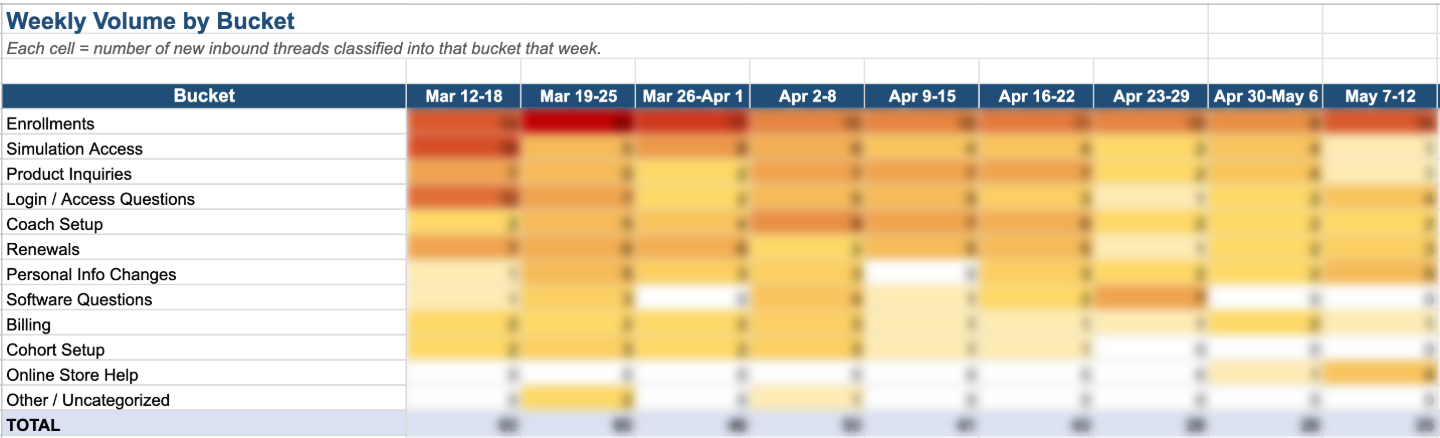
We do a quality review of customer support every quarter. The prep work for that meeting is unglamorous: pull data from multiple systems, parse through both the requests and the resolutions, analyze the data, draw conclusions from it and construct a digestible slide deck for the rest of the org. In the past, this took someone on the team three to five days to compile and analyze the data and roughly another full day to turn out the deck for the meeting. Cowork generated the analysis with limited access to our system and had a draft of the deck in about fifteen minutes. I spent forty-five minutes reviewing it.
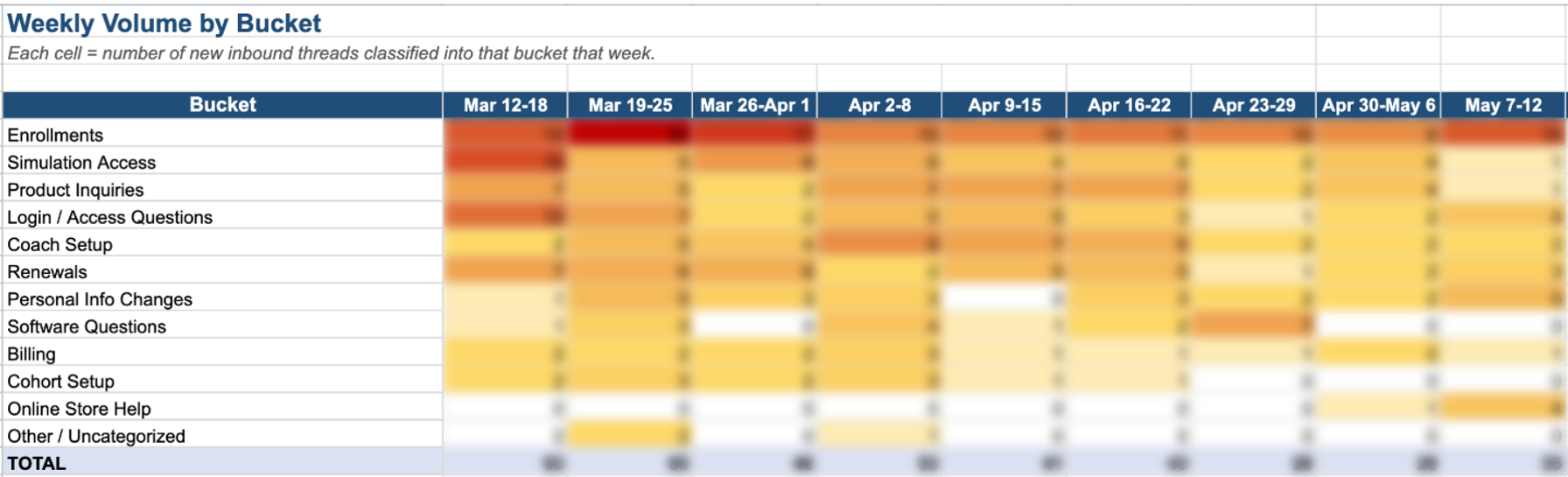
The lesson here is not really about speed. The speed is an obvious win. The less obvious win is that the time we would have spent exporting and importing to do the same task in ChatGPT, the time prompting Gemini to write vlookup functions, and fussing with powerpoint formatting was suddenly available for actually thinking about what the data was telling us. The output was no longer the bottleneck. The thinking became the bottleneck, which is exactly the right place for the bottleneck to be.
3. Structuring our Discussions into Cohesive Thought Pieces
We had an internal conversation about our project tracking software, TRACtion, and the information we can learn with the behaviors that TRACtion captures. I asked Cowork to read the transcript and the anonymized, aggregate data from our system to share our findings. We were not trying to write a blog when we hit record. We were just talking through our observations out loud. The agent caught the ideas worth saving and gave us a structured draft to work from. We still edited it heavily, but it lowered the activation energy for turning a good conversation into a piece of writing. I have tried a similar task with ChatGPT and found that it cannot synthesize multiple pieces of information as well, especially when some of the rich parts are in images inside of powerpoint.
4. Tackling the Projects That Never Get Done
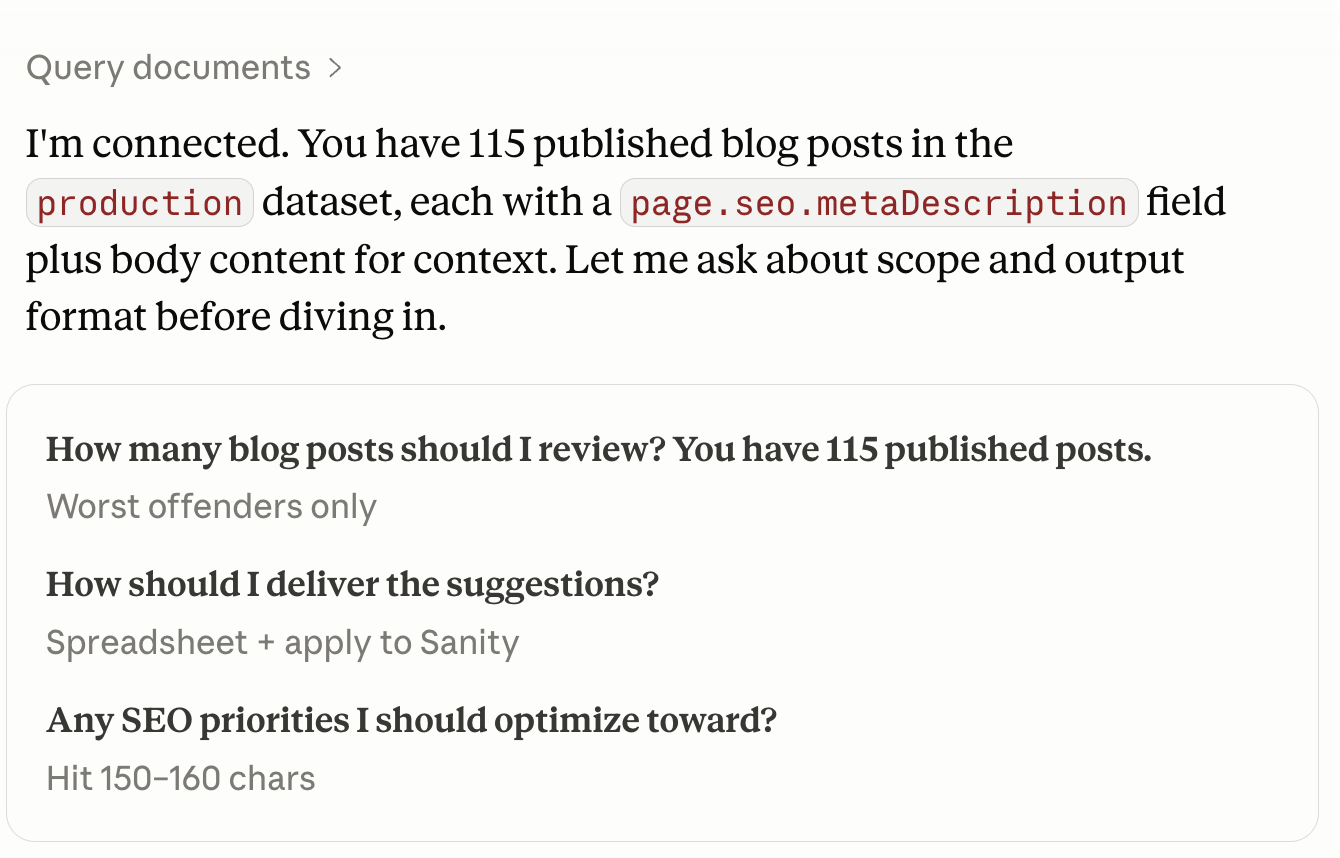
We had 115 web pages that needed a small, structured change to one section. A human working carefully would have spent a couple of days on it. Cowork made the edits within our content management system (CMS) using it’s MCP connection in twenty-one minutes, which saved us a ton of monotonous copy+pasting.
The takeaway is that agents make long, shallow work feasible at a scale…work that was not prioritized or worth doing before because of the time investment. A whole class of “we would do this if it didn't take a week” projects suddenly becomes viable. I have started keeping a running list of those, because they tend to be high-leverage uses of an agentic AI model.
A Note of Caution
Agentic tools amplify whatever you bring to them, both your thinking and the absence of it. If you delegate a task you did not fully understand, you now have an output you do not fully understand either, except it is already a deck or an email draft or a spreadsheet sitting on your desktop. It looks and feels finished. At the pace of business, it would be easy to let that slip through unreviewed.
Two habits I have found useful:
Before you delegate, spend thirty seconds on the question, “Could I have done this myself if I had to? Do I know what good looks like?” If either of those is “no,” dig in more before you let an AI agent run with the task. You need to understand the work well enough to review it. Which leads me to:
After you delegate, actually review the output. Not skim. Carefully review. Especially the parts that look most polished, because in my experience there is always something small and a little wonky tucked inside the best section that needs to be reworked. These small, wonky bits are hallucinations that sound plausible but are unsupported or unfounded.
Conclusion
It amuses me that at this point in my journey, I sometimes feel a little guilty when I haven't given our AI teammate enough value-added tasks for the day. As if the entire experience of chatting with an AI model wasn’t already weird, now add into the mix this new feeling of ignoring an intern who is sitting at the desk eagerly waiting for something useful to do. 2026 is a weird place.
But that feeling has radically changed how I think about my own work. I'm starting to look at our processes and ask a different first question. Not “where can AI help me with this process?” but “what does this process look like when I design it from an AI-native perspective, with a human as the source of expertise rather than the source of labor?” In that version, the agent is a default participant. The human is the one asking the better questions, making the judgment calls, holding the relationships, and owning the outcome. The reframe is uncomfortable on purpose. It pulls value back toward the parts of work that have always mattered most (framing, judgment, coaching, alignment) and away from the parts most of us quietly knew were not the best use of our brains.
The other thing I want to leave you with is permission. If you own a process end-to-end and have the support of your technology & data protection teams — just experiment. You do not need a corporate initiative or a steering committee to use agentic AI on a workflow that is already yours. Pick one small piece, give it a try, review the output carefully, and notice what shifted. That is the safest place to build this new muscle, because you are the expert on what good looks like. The risk of getting it wrong is low, and the rate of learning is high.
So the next time you reach for AI, try one question first:
“Am I trying to think, or am I trying to get something done?”
And every once in a while, when the answer is “get it done,” ask yourself a follow-up: is there a way the agent could get it done and I could own the thinking?